Home
InfoSec Essentials
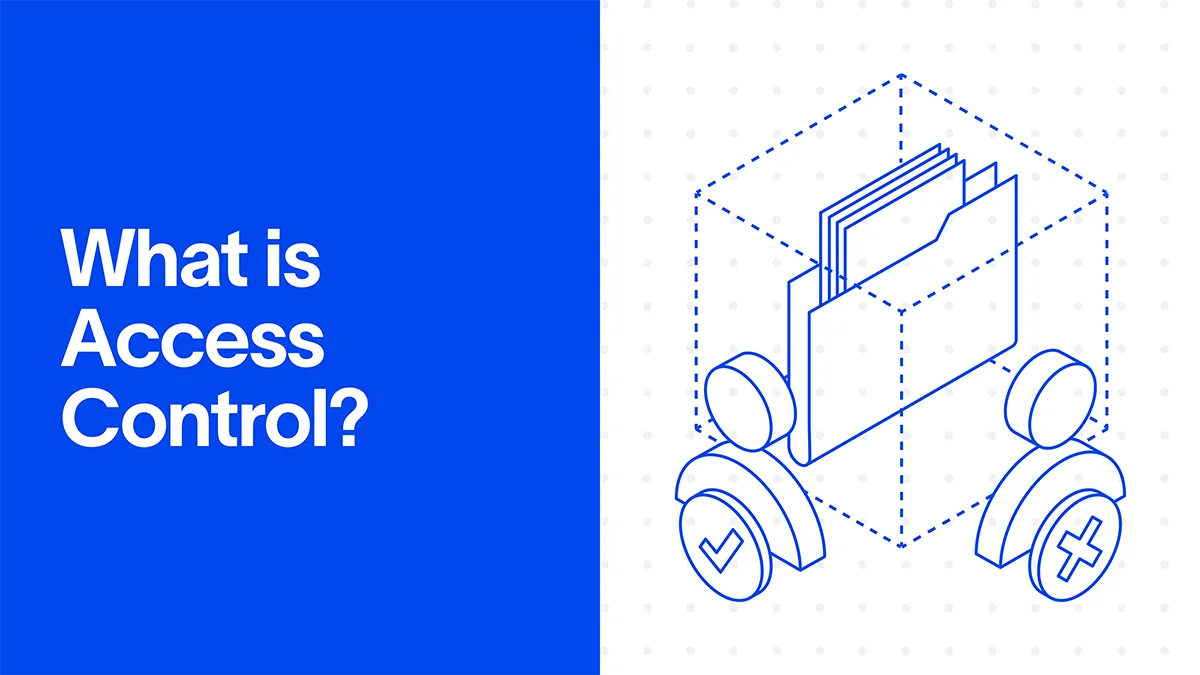
What is Access Control?

What is Access Control?

December 3, 2025

Key takeaway

Access control determines who has access to your systems and data. Strong authentication, role-based permissions, and least-privilege policies directly cut down data breaches and insider threats. Regular audits and separation of duties create a clear trail, so when something goes wrong, you know exactly who accessed what and when. Weak access controls not only expose sensitive data but also put your reputation, compliance status, and operational continuity at risk.

Video Overview

Access control is a security practice that determines who is allowed in, what they can see, and what actions they're permitted to take. It protects systems, data, and physical spaces by ensuring only the right people have the right level of access at the right time. Organizations use it to reduce risk, prevent unauthorized activity, and maintain the confidentiality of sensitive information.

The Everyday Importance of Access Control

Every organization relies on access control, even if it doesn't necessarily call it that. Any time you unlock a phone, enter an office, or sign in to an app, you're seeing it work, albeit quietly. It's the simple idea that not everyone should have the keys to everything.

The challenge is that modern environments are anything but simple. Data moves through cloud platforms, laptops, shared drives, identity providers, customer apps, and hundreds of SaaS tools. People join, switch teams, leave, return, get promoted, take on projects, and, occasionally, ask for access they don't need. Multiply this across an entire company, and you get a messy map of permissions that is easy to mismanage and even easier to exploit.

Security leaders know this well. One wrong permission can create an exposure that no firewall can fix. One overly broad role can turn into an insider threat. And a single forgotten contractor account can become a quiet entry point for attackers who need only a single foothold.

Strong access control prevents these weak spots from becoming front-page stories. It creates guardrails that make it easier for people to do their jobs and more complicated for bad actors to do theirs. When done well, it's an unsung hero. When done poorly, it becomes the reason a small mistake turns into a significant incident.

Access Control in Security and Cybersecurity

Access control plays a core role in modern security because almost every threat today starts with a straightforward question: who has access to what? If the answer is unclear, overly broad, or outdated, attackers don't need sophisticated exploits—they only need one unlocked door.

In security, access control works as a guardrail that limits what users, devices, and services can do. It protects sensitive data, prevents unauthorized activity, and helps teams understand the complete picture of who has access to what across the environment. This is paramount for cybersecurity leaders, considering it's the foundation on which every other security measure sits.

The shift to cloud apps and remote work has made strong access control even more critical. People now work from anywhere. Data spreads across dozens of systems. Identity has become the new perimeter, which means access decisions matter more than ever. A single misconfigured role in a SaaS tool can expose customer records. A forgotten admin account can be enough for an attacker to move across systems without detection.

For small business owners, the idea is simple. Strong access controls enable employees to be productive and ensure the safekeeping of sensitive information. It reduces the risk of accidental mistakes, insider threats, and credential-based attacks targeting growing companies.

For CISOs and security teams, the stakes are even higher. Access control here is the process of enforcing least privilege, reducing data exposure, and ensuring that only those who absolutely need it can access your critical information.

When companies take access control seriously, the impact is immediate. Less unnecessary access. Fewer misconfigurations. Clearer visibility. Stronger protection against real-world threats. It's one of the most effective ways to shrink your attack surface without slowing anyone down.

In short, access control makes these modern environments more secure and resilient. It reduces the risk of unauthorized access, especially from devices the organization does not manage or from employees' own devices brought into the workplace, by enforcing who can access what, when, and from which device. Access control creates stronger protection against accidental or malicious entry. Additionally, it helps organizations meet regulatory requirements and compliance standards, giving both security teams and business leaders peace of mind.

How Access Control Works

Access control works by answering three simple questions whenever someone tries to access a system or view data.

  1. Who are you?
  2. What are you allowed to do?
  3. Should you be doing it right now?

The steps behind those questions are straightforward, even if the technology behind them can get complex. Here's how the process works in practice.

Step 1: Authentication

Authentication verifies identity. It ensures that the person or device attempting to access something is who they claim to be. This usually happens through passwords, MFA, biometrics, hardware tokens, or single sign-on. It's the digital equivalent of checking someone's badge at the door.

Step 2: Authorization

Once identity is confirmed, authorization determines what that identity is allowed to do.

This is where roles, policies, and permissions come into play. One person may get access to financial reports. Another may only get access to a dashboard. Someone else may get nothing at all.

Put simply, authorization is the heart of access control. It's what separates a secure environment from a free-for-all.

Step 3: Enforcement

After authentication and authorization, a security system enforces the rules. These rules are the actual access control mechanisms. They're responsible for allowing, blocking, or limiting actions in accordance with policy.

Examples of enforcement mechanisms include:

  • Permission checks inside apps
  • Network segmentation that blocks traffic
  • Conditional access policies
  • Session controls that prevent risky behaviors.

Enforcement is the quiet engine that makes access control work behind the scenes.

Step 4: Auditing and Monitoring

Every access attempt leaves behind a trail. Monitoring tools review these trails to spot unusual patterns, detect risky behavior, and alert security teams if something seems off.

This is also where access control lists (ACLs) show up. ACLs are simple, rule-based tables that decide who can access a specific resource. Think of them as guest lists for your folders, files, or systems.

A Simple Example

A new employee joins the marketing team.

Their identity is added to the company's identity provider.

They authenticate with a password and MFA.

Based on their role, they get access to marketing tools but not engineering systems.

If they try to open a restricted database, authorization denies it.

If they change roles later, their access is automatically updated.

That's access control in action. Simple guardrails, applied consistently.

Authentication vs. Authorization: Understanding the Difference

These two steps work together but serve different purposes. Authentication confirms who a user is. Authorization determines what a user can do once they are identified. Both are essential parts of any access control system, and both must be implemented correctly to secure your data and applications.

Authentication Authorization
Definition Verifying who someone is Determining what that person is allowed to do or see
Purpose in Access Control Confirms identity as part of access control Grants, denies, or limits access based on access control policies
Typical Methods / Mechanisms Passwords, MFA (multi-factor authentication), biometrics, tokens Role‑based access control (RBAC), attribute‑based policies, ACLs, permissions
Order in Process First, before any permissions are checked Second, only after successful authentication
Who Controls It Identity providers, IAM systems, authentication servers Security teams, IT, policy administrators
Risk If Weak Attackers can impersonate users Users or attackers may access data they should not see
Use Cases Logging into an application, entering a building via badge or biometric scan Determining which modules a user can access, who can view a file, or perform administrative actions

Why Both Matter for Access Control Security

Authentication without proper authorization is like checking IDs at the front door and then letting everyone roam freely inside. Conversely, authorization without strong authentication is like locking doors but failing to verify who is trying to open them. Together, they enforce strong access control security. Authentication confirms identity, and authorization enforces access control policies.

How It Fits Into Modern Access Control Systems

Most modern access control systems live within an Identity & Access Management (IAM) framework. The IAM system first authenticates user identities, then applies authorization rules to grant or deny access. It also logs all activity to track who accessed what, when, and where, providing both security and accountability.

Types of Access Control

There's no single way to manage access. Different environments call for various models. Below are the core access control types you'll see in security programs today. Each one helps organizations decide who gets access, how access is granted, and how tightly those permissions are controlled.

Physical Access Control

Physical access control protects real-world spaces. It decides who can enter buildings, offices, server rooms, warehouses, and other restricted areas.

This includes:

  • Badge readers
  • Smart locks
  • Biometrics at entry points
  • Visitor management systems

If you have ever scanned a badge to get into the office, you have used physical access control.

Logical Access Control

Logical access control protects digital environments. It covers apps, networks, databases, accounts, SaaS tools, and anything that lives behind a login.

Examples include:

  • Passwords
  • MFA
  • Single sign-on
  • Role permissions inside software
  • Network policies

Logical access control is what most people refer to when discussing cybersecurity.

Role-Based Access Control (RBAC)

Role-based access control assigns permissions based on job functions. If you are in finance, you have access to finance tools. If you join engineering, you gain access to engineering tools. No one has to approve every request manually.

Organizations like RBAC because it keeps things simple. Fewer manual decisions. Less guesswork. More consistency across teams.

Mandatory Access Control (MAC)

Mandatory access control is the strictest model. Permissions are controlled by central policies, not by users or managers. People cannot change their own access. Only the system or a security admin can.

MAC is standard in government, healthcare, and other environments where data sensitivity is exceptionally high.

Discretionary Access Control (DAC)

Discretionary access control empowers data owners to decide who else should have access. If you create a file, you can share it with others. If you own a folder, you can choose who can open it.

DAC is flexible and user-friendly, but it also carries risks. People sometimes share more than they should, which can lead to accidental exposure.

Attribute-Based Access Control (ABAC)

ABAC uses attributes to make access decisions. An attribute can be almost anything, such as job title, location, device type, time of day, department, sensitivity level, or even risk score.

Access is granted only when all required attributes match.

For example:

  • A user is in engineering
  • Working from an approved device
  • Logging in during business hours
  • Accessing a low-risk system

ABAC is powerful because it adapts to context. It is dynamic instead of static.

Access Control Type Restrictiveness Who Sets the Rules Flexibility Best For Quick Description
Physical Access Control Medium Security teams, facilities Moderate Offices, buildings, data centers Controls who enters physical spaces using badges, biometrics, or locks.
Logical Access Control Medium–High IT and security teams High Apps, servers, SaaS, networks Protects digital systems through logins, MFA, permissions, and identity controls.
RBAC (Role Based Access Control) High Security teams define roles Moderate Mid to large organizations Grants access based on job functions. Simple, predictable, and consistent.
MAC (Mandatory Access Control) Very High Central authority (often security administrators) Very Low Government, healthcare, and high-security sectors Strict model where users cannot change access. System-controlled permissions.
DAC (Discretionary Access Control) Low Resource owners (users) Very High Small teams, collaborative environments Users decide who can access what. Easy to use, but riskier.
ABAC (Attribute-Based Access Control) High–Very High Security + automated policies High Dynamic, distributed, cloud-first organizations Uses attributes like device, location, role, and time to make real-time decisions.

Key Considerations When Selecting an Access Control Model

Beyond security, choosing the proper access control model is about understanding how your organization operates. The "most secure" option is not always the most practical, and the "most flexible" option can quickly become a governance problem if the business is not ready.

Business Sensitivity and Data Exposure Risk

Ask yourself: What is actually at stake?

  • Highly regulated industries such as finance, healthcare, or defense often require stricter schemes, such as MAC or tightly audited RBAC.
  • Mid-sized operations with distributed teams often rely on RBAC plus ABAC to combine control with workflow friendliness.

If the data can cause financial, legal, or reputational harm, the model should favor restriction over convenience.

Organizational Complexity

Your structure often determines the model you need.

  • Clear hierarchies work well with RBAC.
  • Dynamic teams, cross-functional squads, or contractors benefit from ABAC or hybrid RBAC-ABAC.
  • Autonomous teams with high trust can use more flexible approaches, provided governance is strong.

The more complex the organization, the more you need attributes, rules, and automated policy enforcement instead of manual tracking.

Scalability and Administration

A good access model reduces overhead over time.

  • RBAC is easy at first, but it can get complicated with hundreds of roles.
  • ABAC scales well if you have strong policy engines and attribute management.
  • Flexible models work but require careful oversight to prevent gaps.

Always consider long-term maintenance, not just initial setup.

Auditability and Compliance

If auditors need clear trails:

  • MAC and RBAC provide structured, predictable controls.
  • ABAC can become opaque unless tools make policy decisions visible.
  • Flexible models require strong governance to prevent hidden or misused permissions.

The right choice should make compliance easier, not harder.

Technical Infrastructure

Your model is only as strong as the technology supporting it.

  • Older systems may limit options.
  • Modern identity providers, such as Okta and Microsoft Entra ID, make ABAC or hybrid models feasible.
  • SaaS environments often require mixed models due to vendor limitations.

Match your ambitions to your existing stack.

Human Behavior and Change Management

Even the strongest model fails if people bypass it.

  • Overly restrictive models lead employees to find workarounds.
  • Too permissive models let risk creep in unnoticed.
  • Successful access control requires training, buy-in, and accountability.

Security is as much about behavior as it is about technology.

Why Access Control Matters for Cybersecurity

Strong access controls protect your sensitive information and keep daily operations running smoothly. Without it, even the strongest firewalls and endpoint protections can be undermined by a simple permission mistake.

Prevents Data Breaches

Every breach starts somewhere. Often, it begins with an account that has more access than it should. Strong access controls ensure that users and devices see only what they are supposed to. Fewer over-permissions mean fewer opportunities for attackers to move laterally or steal data.

Reduces Insider Threat Risk

Not all threats come from the outside. Employees, contractors, or vendors can unintentionally or intentionally cause damage. Access control provides guardrails. It limits what insiders can access, flags unusual behaviors, and makes it easier to investigate if something goes wrong.

Supports Compliance Requirements

Regulations like HIPAA, PCI-DSS, and GDPR require organizations to manage who can access sensitive information. Proper access control simplifies audits, demonstrates compliance with policies, and reduces the risk of penalties.

Strengthens Overall Security Posture

Access control is more than permissions. It is a way to understand and manage risk. When done right, it integrates with identity management, monitoring, and incident response. Organizations gain visibility into who is doing what, where, and when. That intelligence makes other security measures more effective.

Enables Secure Growth

Businesses today rely on cloud platforms, SaaS applications, and remote work. Access control ensures that scaling operations or adding new users do not automatically increase risk. It makes growth predictable and secure.

Strong access control is both a shield and a map. It keeps sensitive data out of the wrong hands and gives security teams a clear view of what's happening inside the organization. For small business owners, it is the difference between confident growth and constant worry about who can see what. For CISOs, it is a foundational pillar that supports every other security initiative.

Common Access Control Challenges

Access control is robust but not foolproof. Even the best systems can fail if they are misconfigured or poorly managed. Understanding common challenges helps organizations prevent minor mistakes from turning into major incidents.

1. Misconfigurations

The most common problem is human error. Permissions are set incorrectly. Roles overlap. Policies conflict. These mistakes create gaps that attackers can exploit. Even a minor misconfiguration in a cloud app or shared drive can expose sensitive data.

2. Privilege Creep

Over time, employees accumulate more access than they need. Promotions, team changes, or temporary projects often leave permissions behind. This "privilege creep" increases risk and makes audits harder. Users have access to resources they no longer require, which can lead to accidental or intentional misuse.

3. Broken Access Control

Broken access control happens when policies fail or are bypassed. It is one of the most common vulnerabilities that attackers target. Examples include unsecured APIs, missing file restrictions, or overly permissive roles. Broken access control can give attackers a path to sensitive data that technical defenses cannot stop.

4. Lack of Visibility

Organizations sometimes do not know who has access to what. Without proper monitoring, it is hard to detect anomalies or enforce least privilege. Lack of visibility increases the likelihood of insider threats and accidental exposure.

5. Inconsistent Policy Enforcement

Different systems may enforce rules differently. A file server might use one model, while a SaaS tool might use another. If policies are not consistent across platforms, users can gain unintended access. Inconsistency complicates audits and security reporting.

6. Difficulty Scaling

As organizations grow, manually managing permissions becomes impossible. Adding new users, roles, or systems without a scalable approach increases risk. Automation and centralized access management become critical to maintain control.

How to Implement Access Control

Implementing access control doesn't have to be overwhelming. With a clear plan, you can secure sensitive data, enforce policies consistently, and simplify compliance. Here are some practical steps to get started:

1. Centralize Access Management

Stop relying on access control lists scattered across multiple systems. Centralize user permissions in a single database or identity platform. This makes it easy to track privileges, update roles instantly, and enforce access control policies consistently across users, applications, and data.

2. Automate Off-boarding

When employees leave, their access should be revoked as well. Orphaned accounts are low-hanging fruit for attackers. Linking access control systems to automated deprovisioning ensures that user privileges are removed immediately, across cloud services, on-prem systems, and even physical access points.

3. Use Flexible, Context-Based Controls

Not every access scenario is black-and-white. Temporary access, geo-restricted permissions, or time-limited edits may be required. Supplement traditional role-based access control (RBAC) with context-aware controls that consider location, device type, and time of access to maintain access control security without slowing productivity.

4. Choose Systems with Reporting and Auditing

Access control is only effective if you can prove it works. Systems with reporting tools allow you to generate audit logs, track user activity, and provide regulators or compliance teams with evidence when needed. Automated reports tailored to your organization's policies make audits far easier.

5. Prioritize Cloud-Native Integration

Modern businesses rely on SaaS and cloud services. Your access control system should automatically discover new cloud apps, integrate them into your central identity register, and extend authorization policies to all platforms. This ensures security and access control across the entire digital environment.

Importance of Access Control in Regulatory Compliance

Access control is also a critical tool for meeting regulatory requirements. Organizations that handle sensitive data must demonstrate to auditors and regulators that only authorized people can access protected information. Strong access control helps enforce these policies consistently, reduces the risk of accidental or malicious breaches, and ensures compliance with widely adopted standards.

Here are some key regulations where access control plays a central role:

PCI DSS

The Payment Card Industry Data Security Standard protects the payment card ecosystem. Access control systems ensure that only authorized users can process or view payment data. They help determine who can approve transactions and verify users' identities, keeping cardholder information secure.

HIPAA

The Health Insurance Portability and Accountability Act protects patient health data from unauthorized disclosure. Access control is crucial for ensuring that only authorized personnel can view medical records. It prevents users from accessing data beyond their privileges and reduces the risk of breaches.

SOC 2

Service Organization Control 2 (SOC 2) is an auditing standard for service providers storing customer data in the cloud. SOC 2 requires strict policies for managing sensitive information. Access control systems enforce these policies, ensuring that customer data is accessed only by authorized personnel.

ISO 27001

ISO 27001 sets the gold standard for information security across industries. Organizations seeking certification must demonstrate strong security and access control practices. Implementing proper access controls ensures compliance and shows customers that their data is protected.

Access Control Best Practices

Implementing access control is only effective if it is done thoughtfully. These best practices help organizations reduce risk, prevent unauthorized access, and maintain compliance.

Implement the Principle of Least Privilege

The principle of least privilege (PoLP) means granting users only the permissions they need to do their job. Limiting access reduces the risk of insider threats and data breaches.

  • Regularly review user privileges.
  • Remove permissions that are no longer needed.
  • Prevent "privilege creep," where users accumulate unnecessary access over time.

Establish a Systematic Review and Audit Process

Regular audits help maintain the effectiveness of access control policies. Review user permissions, group memberships, and access logs to detect unauthorized or unusual activity.

  • Make reviews a recurring process, not a one-time task.
  • Flag and correct discrepancies quickly.
  • Use automation where possible to streamline monitoring.

Implement Separation of Duties

Separation of duties (SoD) prevents a single individual from having complete control over critical tasks. It reduces the chance of fraud or mistakes and ensures checks and balances are in place.

  • Clearly define roles and responsibilities.
  • Regularly update role definitions.
  • Ensure no single person can bypass key security controls.

Employ Strong Authentication and Authorization

Strong authentication and granular authorization policies are crucial for securing access. Multi-factor authentication (MFA) adds an extra layer of protection beyond passwords.

  • Combine passwords, biometrics, or tokens for authentication.
  • Align authorization policies with the principle of least privilege.
  • Restrict access based on roles, responsibilities, and context.

Automate Access Control Where Possible

In complex environments, manually managing access can lead to errors and inconsistencies. Automation ensures policies are applied consistently and reduces administrative overhead.

  • Automatically provision and revoke access when roles or responsibilities change.
  • Enforce temporary access for contractors or short-term projects.
  • Monitor and log access events to detect unusual activity.

Conclusion

Think of access control as a practical playbook you can use today. It starts with clear identity checks and ends with precise permission decisions. When you enforce strong authentication, tighten authorization, and apply least privilege, you shrink the avenues attackers and careless insiders can exploit to harm you. Fix misconfigurations, stop privilege creep, and make automated off-boarding non-negotiable. Centralize policies, select systems that log and report, and extend controls to BYO and unmanaged devices so nothing escapes your visibility. Do these things, and you not only meet PCI, HIPAA, SOC 2, or ISO requirements, but you also make your business more resilient and easier to run. Start small, pick one control to tighten this week, and build from there.

If you want a clearer picture of where your sensitive data actually moves and who is accessing it, explore how Cyberhaven can provide that visibility and strengthen the access-control foundation you're already building.

Frequently Asked Questions on Access Control

What is an Access Control List (ACL)?

An access control list (ACL) is a set of rules that defines which users or systems can access specific resources. Each entry in the list specifies a subject (user, group, or system) and the actions they are allowed or denied. ACLs are a fundamental part of many access control mechanisms, especially in file systems, databases, and network devices.

What is User Access Control?

User access control is the process of managing and enforcing permissions for individual users. It ensures that every user can only access the resources necessary for their role. Strong user access controls reduce risk, prevent unauthorized access, and help organizations maintain compliance with standards such as HIPAA, PCI DSS, and ISO 27001.

What is a Data Access Control System?

A data access control system governs who can read, modify, or delete data within an organization. It enforces policies across applications, databases, and cloud environments. By implementing data access control, organizations can protect sensitive information, reduce insider risk, and maintain regulatory compliance.

What is Broken Access Control?

Broken access control occurs when a system fails to enforce its policies correctly. This can happen due to misconfigurations, overly permissive roles, or software vulnerabilities. Broken access controls are a common security risk that attackers exploit to access data or perform unauthorized actions. Regular audits, least-privilege policies, and proper separation of duties help prevent this.

How Does Access Control Prevent Data Loss?

Access control prevents data loss by limiting who can access sensitive information and what they can do with it. Policies such as least privilege, separation of duties, and strong authorization rules ensure that only authorized personnel can read, modify, or transfer critical data. Combined with logging and monitoring, access control helps organizations detect and prevent unauthorized activity before it escalates into a breach.